

Travel agency CRM: the TOOGO CRM to run prospects and pipeline for a DMC
TOOGO’s CRM is the module that centralizes an inbound agency’s prospects and clients, from enquiry to confirmation.
This travel agency CRM is part of TOOGO, software for inbound travel agencies, and is built around three pillars: centralization (all contacts, exchanges and documents in one place), team collaboration (internal comments and shared tasks on each file) and automation (follow-ups and proposals generated by AI). It is connected directly to the Trip Builder: every trip created is linked to the right prospect, and the AI can automatically suggest an itinerary or a brochure already in the database, as close as possible to the traveller’s profile.
Kanban pipeline and team assignment
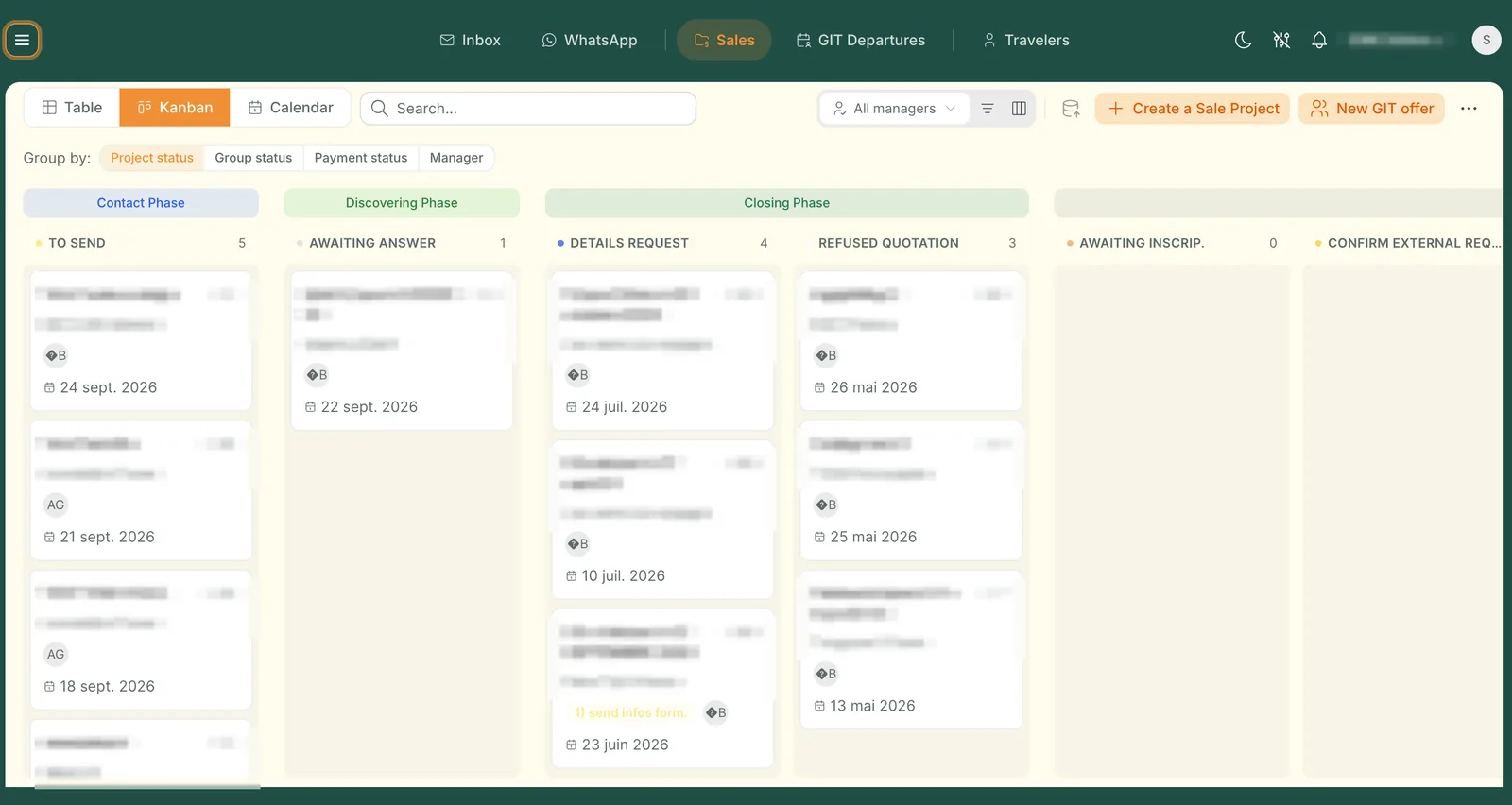
The sales pipeline is run in a Kanban view: files are dragged and dropped from one stage to the next, and can be assigned directly to a salesperson or a team member by a manager.
- Kanban view with drag-and-drop to move a file forward
- Assigning a file to a salesperson or to another team member
- Grouping the Kanban by project status, group status, payment status or by manager
- Customizable statuses on each file: new enquiry, quote sent, follow-up, confirmation…
- Three views available on the pipeline: Table, Kanban or Calendar
- A visual progress bar on each file, with the name of the current sales phase and the number of steps left until confirmation
- Search and create a new sales file in one click, directly from the overview
A calendar view of the pipeline lets you see files positioned on their creation date, alongside the Table and Kanban views.
Link with the Trip Builder and automatic suggestions
Every trip created in the Trip Builder is linked directly to the prospect or client concerned. The AI can also automatically suggest, from the same database, an itinerary or a brochure already in place that matches the traveller’s profile as closely as possible. Learn more about TOOGO’s AI assistant.
GIT departures and linking travellers
GIT (Group Inclusive Tour) departures are managed with all the travellers linked to them. Each prospect or individual can be linked to a planned travel date, or directly to a trip, which then acts as a departure entity. Each file is identified as FIT (individual travel) or GIT (group departure), to distinguish the two types of tracking.
Each file generates access codes (web codes) that let travellers connect to the Travel Guide App and view their client file online, to fill in their information and find the programme, the contacts and the meeting points of their trip.
Unified inbox
An inbox naturally centralizes the exchanges with each contact, to keep all the communication in one place.
- Filtering by new enquiries, ongoing files or all exchanges
- Filtering by mailbox, by unread messages, or by period
- Searching and sorting exchanges, from newest to oldest
- Replying directly from the inbox, with a rich text editor (formatting, links, tables) and attachments
- Internal notes and a time-stamped history of actions, viewable directly in each exchange
- Quick access to trip ideas (“Trip ideas”) while writing a reply
Statuses, tags and lead qualification
The statuses and the information tracked on each contact are fully configurable, to fit the organization of each agency.
- Statuses customizable to the agency’s needs
- Tags to qualify and segment prospects
- Lead source tracked for each enquiry
- Priority level (for example critical) tracked on each file
- Prospect language tracked on each file
- Qualifying a prospect by status, tags and custom information
Internal collaboration
The team can discuss a file directly without leaving the CRM.
- Internal comments on a file
- Creating and assigning tasks to team members
- Quick actions from the record: generate a document, comment, call, duplicate or delete the file
Document generation
Several documents can be created and printed directly from the CRM, file by file, from the templates of the document editor.
Frequent questions about the TOOGO CRM
It is the tool that centralizes prospects and clients, from the first enquiry to the confirmation of the file. In TOOGO, it brings together the sales pipeline, the exchanges, the documents and the direct link with the Trip Builder quotes.

All of the DMC’s sales activity in one place
From the first contact to the confirmation of the file, the CRM centralizes all the sales activity of an inbound agency, linked directly to the Trip Builder. Want to see it on your own activity? The TOOGO team will prepare a personalized demonstration.