

Your personalized travel documents with TOOGO’s Template Editor
Every agency produces personalized travel documents, in its own image and that of its client.
The Template Editor is one of the features of TOOGO, software for DMCs and inbound agencies: it lets you create and personalize all of the agency’s documents and printouts (quotes, quotations, proposals, invoices, vouchers, payment receipts, Travel Guide App…). Once the templates are created with the agency’s logo, colours, graphic chart and its other details or settings, each TOOGO module then lets you choose which one to use.
A central editor for all the agency’s documents
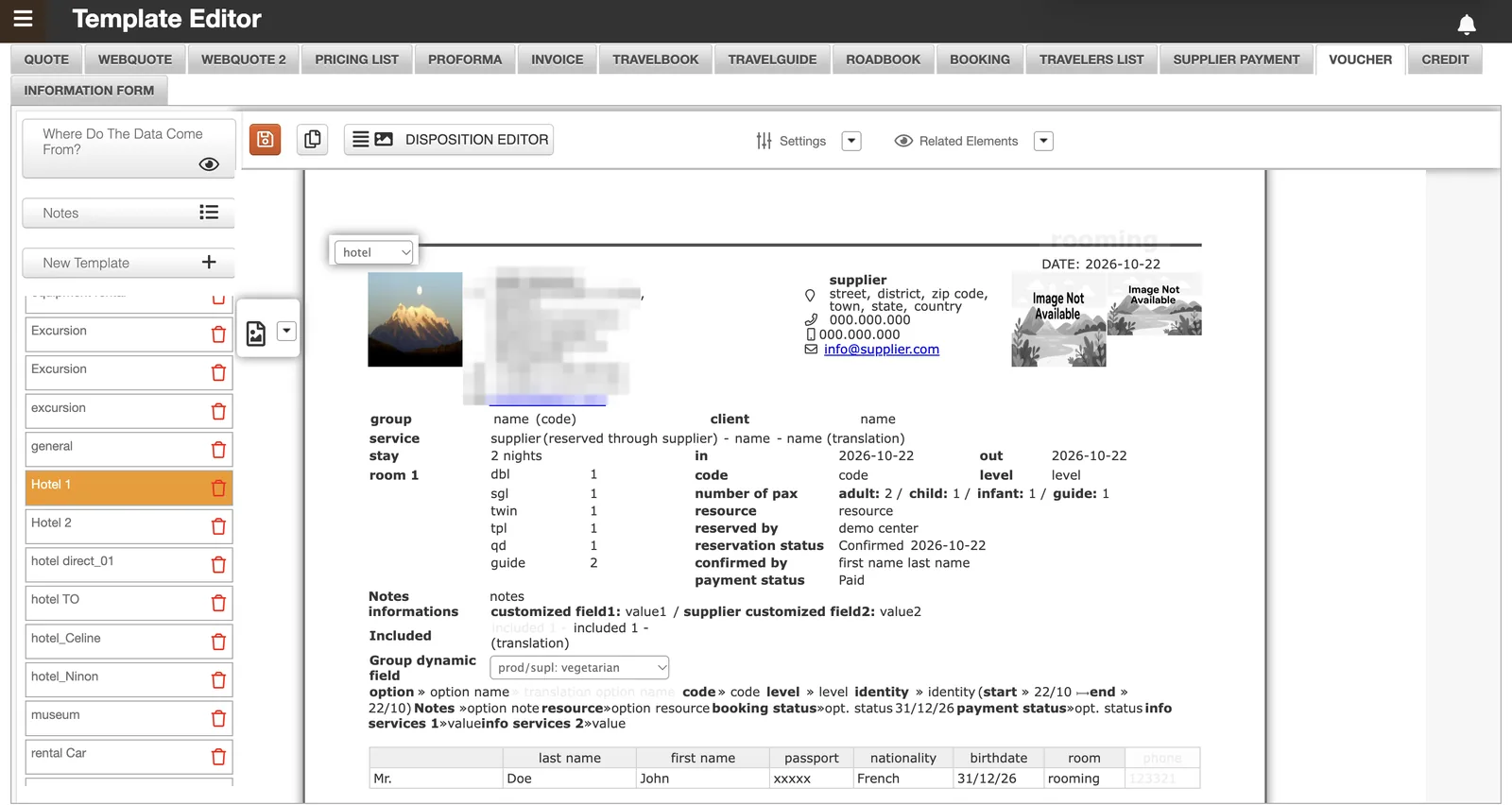
The Template Editor, accessible from “My tools” in TOOGO, is where the agency creates and organizes all its document templates, section by section, through a search bar that lists every type of template available.
- Each document type keeps its own library of named, deletable templates, which the agency can freely duplicate or adapt: for example several invoice templates (B2B, B2C, a test model) or many web quotes personalized for each partner agency.
- This “section by section” approach lets you create as many variants as needed for the same document type, depending on the client, the agency or the use.
Full design personalization of your travel documents
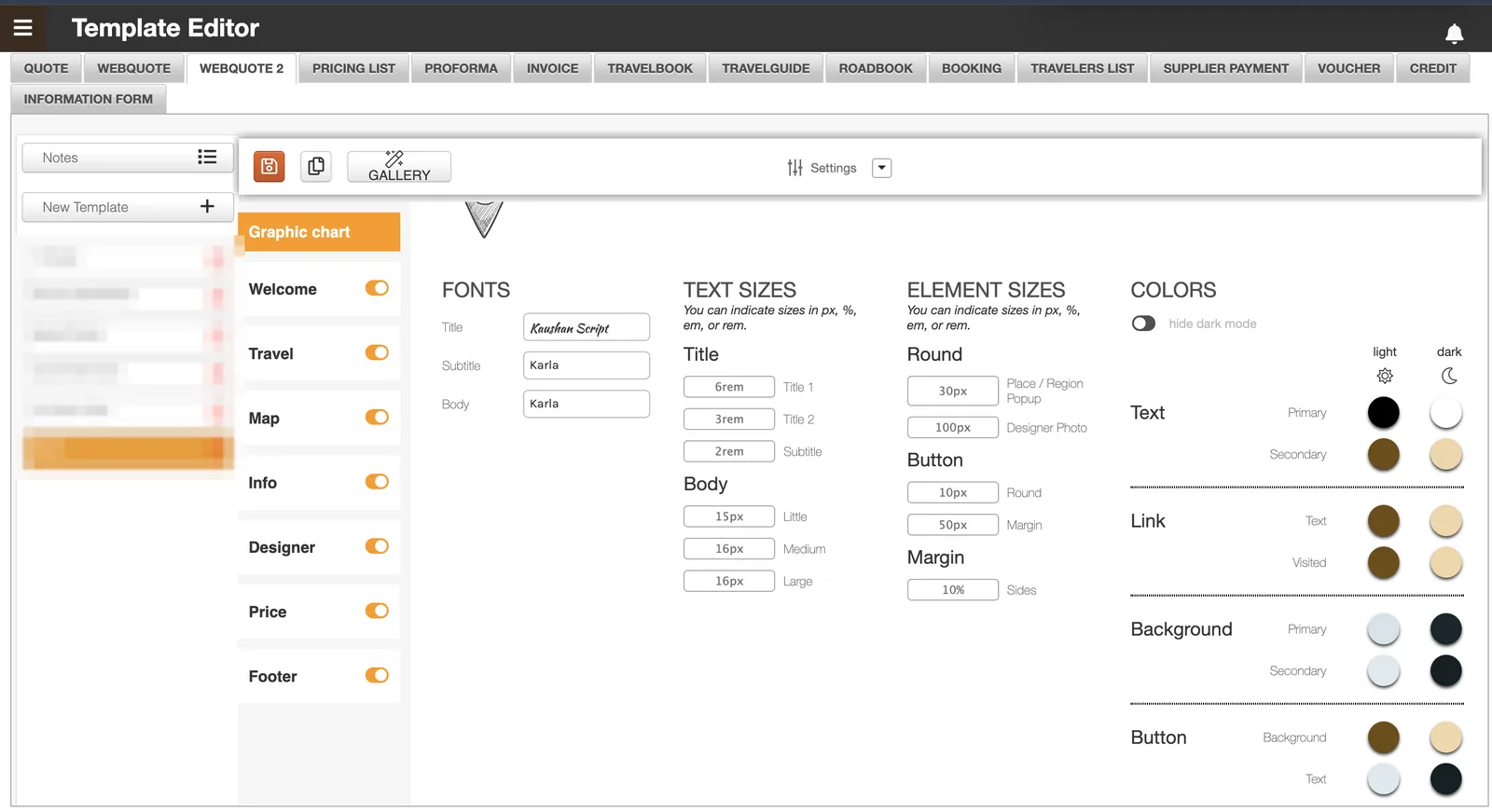
In each template, a “Graphic chart” panel lets you personalize the entire visual rendering of the document, so that it carries the colours and identity of the agency rather than a generic look. It is an important step: this is where the agency’s visual DNA is set, since this graphic chart then applies to all documents produced by TOOGO.
- Logo: choose between the host’s logo or the travel agency’s, with the option to use TOOGO’s logo, a partner agency’s, or a “Your logo here” placeholder while waiting to receive it.
- Fonts and sizes: select the fonts for headings and body text, and set the sizes (titles, subtitles, text) in rem, px or %.
- Colours and dark mode: text, background and button colours defined separately in light mode and dark mode, with the option to hide dark mode.
- Layout elements: corner radius, buttons and margins, also adjustable in px or %.
- Activatable content blocks: the richest templates (such as Webquote 2 or Travelguide) let you turn entire blocks on or off (welcome, map, information, price, contacts, accommodation…), to compose a fully tailor-made document.
- Content personalization: beyond the design, personalization also goes down to the substance. Document by document (travel proposal, travelguide, pricing list…), the agency itself chooses which information appears or not, writes this content and places it where it wants.
The template then chosen in each module
Once the templates are created in the Template Editor, each TOOGO module lets you choose which one to use depending on the document, the client or the agency concerned: personalization thus extends right into daily use. Here are a few examples, among the many modules and document types concerned:
Trip Builder
when generating a quote, the agency chooses the quote template to use, depending on the partner agency the quote is intended for.
See the Trip BuilderSupplier payment
the selected template determines the content of the email sent to the supplier to arrange their payment; the same logic applies to vouchers (see Logistics).
Travel Guide App
the colours and visual identity of the travel app also follow the templates and the graphic chart defined in the tool.
See the Travel Guide AppInvoices
an agency can have a B2C invoice template and another B2B one, with or without its own logo, depending on the type of client invoiced.
The travel book (Travelbook, Webquote) follows the same logic: see the digital travel book.
A document for everything, in the agency’s image
The Template Editor confirms a constant of TOOGO: personalization never stops at a single place. Just as the agency configures its own margin or expense categories in Finance, or its booking statuses in Logistics, it configures here the visual identity and the content of all its documents: quotes, invoices, vouchers, travel guides… Once the templates are created and the graphic chart is set, each TOOGO module (Trip Builder, supplier payment, Travel Guide App, invoicing) simply draws from this library of templates to produce, with each use, a document in the image of the agency and its client. TOOGO is thus an ERP designed for inbound travel agencies (DMCs) that want to gain speed without ever sacrificing their own identity.
This upfront work is done on purpose to go faster afterwards: it brings efficiency and rigour, with the same documents every time. Once the templates are ready, the salesperson quickly creates their quotes, and each role that then takes over (the logistician, the accountant, the person settling the suppliers) also has a ready-to-use document for their own task: there is a document for everything. Also read: taking the time to implement right, the secret to going fast.
FAQ about the Template Editor in TOOGO
In the Template Editor (“My tools”), the agency creates a template per document type, sets its graphic chart and its content, then chooses this template in the module concerned when generating the document.
